For years, Farhan Siddiqui’s week was consumed by a spreadsheet that no one dared to touch, as he was the manager of a sporting goods exporter in Sialkot. It monitored orders, stitching schedules, packing lists and shipping dates for customers in the USA and UK. Two if they both opened it at once, one an hour of work. So a buyer would ask Farhan where their shipment was and he would go through the emails. His group then ported the entire process into an application integrated with a browser, so that all the departments could access it concurrently. Orders were assigned statuses, buyers had a login to check on the progress and the spreadsheet finally made the retirement.
This is why owners nowadays look for a Web Application Development Company just like they look for an Accountant or Lawyer these days. Web apps are applications that operate within a browser, require no installation and are automatically updated to all users. They have stealthily taken over the day-to-day functions within businesses of all sizes. It details how they function, when they are most effective, what to look out for, and how to assess whether or not it is worthwhile to invest in it.
Web Apps, Websites, and Desktop Software: What’s the Difference?
The terms are often confused; it is helpful to make a distinction between them.
The primary function of a website is to provide information. For example, a restaurant could have a menu page or a law firm could have a profile page. A web application provides users with the ability to do things: log in, enter data, run reports, approve requests, and collaborate. Gmail, Trello, Shopify’s admin panel, QuickBooks Online and Salesforce are all web applications. A desktop application is an application that runs on a particular desktop computer and is usually subject to manual updates.
There were three key changes to business software with the browser-based model. First – no installation is required, thus allowing a new employee to get up and running on any device with a login. Secondly, updates are pushed on a central level which means that everyone is getting the same version and security patches are applied on a timely basis. Third, You don’t have to rely on data spread out all over the lap tops.
That’s great for small and medium-sized businesses that don’t have big IT departments. Less machines to maintain, less version mismatches, and less lost files.
Why Businesses Keep Moving Into the Browser
There were a few factors that spurred companies to go this route.
Working remotely and working from home. With teams working from home, branch offices, and client sites, software needs to be able to work anywhere. Web apps do.
Cloud infrastructure. Hosting options such as AWS, Azure, and Google Cloud made reliable hosting affordable. Small companies can now operate systems which previously required a server room.
Better technology. Nowadays, technologies like React, Angular, Vue, Next.js are the front end choices and Node.js, Django, Laravel, Ruby on Rails and . are the back end choices.On the back end, with NET, create rich and fast interfaces. Now, Web apps seem more like desktop apps than old Web pages.
Integration culture. Most Web apps have APIs so that tools can communicate with each other. Stripe processes payments, Slack processes messages, and QuickBooks processes accounting, and it all connects to a single workflow.
Speed of change. Business requirements are constantly changing. Web apps can be optimized and published in days or weeks, not months.
A Quick Look Behind the Screen
If you are new to this, you may not know what is web development. It’s about the art of creating software which can run inside of a browser. The front end includes layouts, forms and charts that people will be able to see and click on. The logic and data is stored in the back end, which includes calculating prices, checking permissions, and storing orders. The databases (PostgreSQL, MySQL, MongoDB), the servers, and the cloud services make sure that data is organised, and available.
There is also less visible work that is essential for good Web apps: security, performance tuning, testing, and monitoring. That is why a well-polished app is easy to use, and a rushed app is clunky.
Inventory, Orders, and Supply Chain
For product-based businesses, inventory is where mistakes get expensive. Overstock ties up cash, and stockouts lose sales.
Web-based inventory systems update stock levels as items are received, sold, or moved between locations. Barcode scanning through phone cameras or handheld devices feeds data into the same system. Alerts warn when stock falls below a set level, and reports show which products move slowly.
For Farhan, the biggest gain came from order tracking. Each purchase order moved through clear stages: materials sourced, cutting, stitching, quality check, packing, shipped. Managers saw bottlenecks instantly, and buyers could log in to check status without emailing. Questions that used to eat hours each week dropped to a handful.
Procurement benefits as well. Approvals, supplier records, and purchase histories live in one place, which makes audits and negotiations far easier.
Sales, Customers, and Relationships
One of the most popular web applications is a customer relationship management (CRM) system. Salesforce, HubSpot, Zoho, and Pipedrive monitor leads, conversations, deals, and follow-ups. The entire team keeps a record of all interactions rather than in individual notebooks.
That continuity matters. A salesperson’s pipeline doesn’t disappear when they leave. Anybody is able to view a customer’s history and answer their questions wisely when they call with a problem.
Customer portals go the extra mile. Clients can log in and see the invoices, download documents, view orders, or make support requests. Self-service decreases telephone calls and provides customers with a feeling of control. A London buyer doesn’t need to wait till the Pakistanians wake up to see the production.
Finance, Invoicing, and Payments
Accounting software went to the browser many years ago. Xero, QuickBooks Online, and FreshBooks process invoicing, expense tracking, bank feeds and tax reports. Payment solutions such as Stripe and PayPal enable on-line payments, while automated reminders will cut down on late payments.
On top can be custom Web apps. A company could create a program that will produce online invoices for finished projects, execute proper tax rules, and connect with their accounting application. Manual data entry is reduced to a click.
Accuracy improves too. Data is passed between systems and not copied and pasted, and therefore typing errors are reduced. Finance teams spend less time on rectifying errors and more time on analysing numbers.
People, Scheduling, and Workforce Management
HR was once paper and paperwork. Web apps manage recruitment pipelines, onboarding checklists, leaves, performance reviews, and payroll. Time off is requested from a cell phone, approved by managers with a tap, and times automatically update.
Thus, businesses that operate on a shift basis are even better off. Scheduling apps like Deputy, Homebase and When I Work enable managers to create schedules, workers to trade shifts, and everyone to be informed of the changes in real time. Say goodbye to the days of endless group chats without anyone knowing who will be responsible for Saturday.
Training and compliance also to go online. Courses are assigned, track completion, and certificates are stored by companies – particularly in industries where safety or regulation might be a factor.
Workflows, Approvals, and Collaboration
There are a lot of common delays and bottlenecks that stem from a single source: waiting for someone to sign off. Web-based workflow applications send requests to the appropriate person, remind people, and document decisions.
Project management applications such as Asana, Trello, Jira and Monday.com display who is in charge of what and when. When multiple users are working on the same file, document platforms like Google Workspace and Microsoft 365 provide version control and comments. Real-time communication tools like Slack and Microsoft Teams keep conversations connected to the work.
It is cultural as well as technical. When there is progress to see, the time that teams spend in status meetings decreases and the time they spend on doing things increases.
Dashboards and Data-Driven Decisions
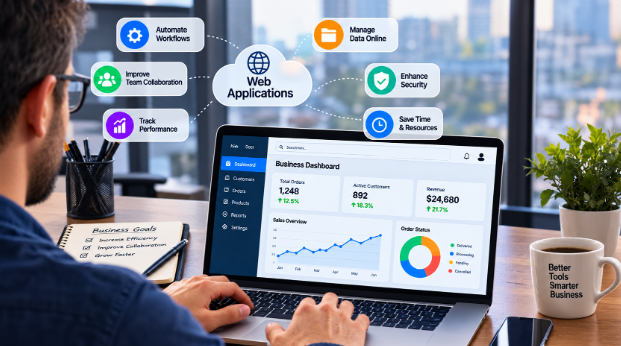
All businesses produce data. Few use it well. social ecommerce Web applications pull numbers from sales, inventory, finance, customer service and other systems into dashboards that get updated as they change.
With tools such as Power BI, Tableau, Looker, and Metabase, managers and other users can transform rows of data into charts they can read in seconds. What are the highest margin products? What customers do you have who pay late? Which part of the production process is the slowest? There are no waiting for monthly reports for answers.
Custom dashboards highlight metrics that are important for each role. Warehouse Manager observes pick rates and stockouts. You can view Pipeline value and Pipeline win rates from a sales director. A founder is someone who looks at cash flow and growth. Clear numbers enable teams to engage in less arguing and quicker decisions.
Integration and Automation
Individual apps help. Connected apps transform. APIs, webhooks, and automation platforms like Zapier and Make link systems so data moves without manual effort.
A new online order can create an invoice, notify the warehouse, update inventory, and email the customer, all within seconds. A signed contract can trigger onboarding tasks. A failed payment can alert the finance team and send the customer a friendly reminder.
Each automated step removes a small chore, and small chores add up. Many companies discover they were spending a surprising portion of each week on repetitive tasks that software can handle.
Progressive Web Apps and Real-Time Features
Progressive web apps are the next generation in the evolution of web apps that share some of the qualities of mobile apps. They are loaded in a browser but can be added to a home screen and can push notifications, and can function offline with service workers. Offline support ensures work continues when teams are in the field, in the warehouse, or in an area with intermittent internet connection, resyncing when internet is reconnected.
Real-time functionality, such as WebSockets technology, enables dashboards, chats and tracking maps to be updated in real time. A dispatcher is able to view vehicles in motion, while a kitchen is able to view orders as they appear from customers.
Security, Privacy, and Compliance
Internet moving is turning into a major concern with security. The Open Web Application Security Project (OWASP) provides guidelines for optimal web app design based on their annual list of commonly found web app vulnerabilities, called the OWASP Top 10.
Essentials include input validation, multi-factor logon, role-based access (showing only what is required), regular updates, automatic backups and strong authentication and HTTPS encryption. To use a single sign-on feature with OAuth or SAML without losing control, larger teams can easily choose to sign up.
Regulations matter too. Companies handling personal data may have to comply with GDPR or UK GDPR guidelines and specific industries may have mandates such as HIPAA, PCI DSS, SOC 2, and ISO 27001. It is much easier to plan in compliance at the outset than to rectify compliance issues at a later stage.
AI Is Joining the Toolkit
The AI is making its presence known in web applications across all sectors. Chat assistants reply to customer queries, demand forecasting predicts demand, document readers capture data from invoices, and summarization tools summarize long threads.
Most times these tools are valuable when they are used to assist rather than to supplant judgment. Steps of review, clearing logs, and human approval maintain results’ trustworthiness.
Build, Buy, or Blend?
Not every problem needs custom software. A sensible decision looks like this:
- Buy when a mainstream product already fits your process, such as accounting or email.
- Customize when an existing platform nearly fits and offers extensions or APIs.
- Build when your workflow is unique, gives you a competitive edge, or no tool handles your needs.
- Blend when you combine ready-made tools with a custom layer that ties them together.
Farhan’s company chose the blend. They kept their accounting package, then built a custom order tracking and buyer portal that connected to it. The custom part targeted exactly the pain points off-the-shelf tools missed.
Measuring Whether It’s Working
Software should earn its place. Useful measures include time saved per task, error rates, order processing speed, customer response times, employee adoption, support ticket volume, and revenue impact. Compare numbers before and after launch, and ask staff for honest feedback.
Adoption is the make-or-break factor. A technically perfect app that people avoid is a failure. Training, simple interfaces, and visible benefits help teams embrace change.
Common Mistakes to Avoid
Starting too big. Try a focused first release solving one painful workflow before expanding.
Ignoring users. The people doing the daily work know where the friction lives. Involve them early.
Neglecting maintenance. Web apps need updates, monitoring, and security patches. Budget for them.
Poor data hygiene. Messy data produces messy results. Clean it before migrating.
Skipping documentation and training. Knowledge locked in one person’s head becomes a risk.
Overcomplicating permissions or screens. Simplicity wins.
Frequently Asked Questions
What are web applications used for in business?
They handle inventory, sales, customer management, accounting, scheduling, project tracking, reporting, and customer portals, all accessible through a browser.
How is a web app different from a website?
A website mainly shares information, while a web app lets users perform tasks such as logging in, entering data, and collaborating.
Are web applications secure enough for sensitive business data?
They can be, when built with strong authentication, encryption, access controls, regular updates, and compliance with relevant regulations.
How long does it take to build a custom web app?
A focused first version typically takes two to four months. Larger systems with many integrations can take six months to a year.
Can web apps work without internet?
Progressive web apps can store data locally and sync later, which is useful in areas with unreliable connections.
Do small businesses really need custom web apps?
Not always. Many start with off-the-shelf tools and add custom software when they hit limits that existing products can’t solve.
Final Thoughts
Good business software rarely looks dramatic. Its value shows up in absences: no lost orders, no duplicate entries, no chasing signatures, no wondering where a shipment is. Web applications deliver those absences by putting shared information in front of the right people at the right moment.
Farhan still keeps a copy of the old spreadsheet, mostly as a reminder. When a new hire asks why the company is so particular about entering data properly, he opens it and lets them scroll through the colored cells and mysterious notes. Then he opens the new system, where everything is clear, and lets the comparison do the talking.
